How to Scan Medical Bills and Receipts for HSA or FSA Claims
Last updated 2026-10-29
FSA administrators usually ask for an itemized receipt before they reimburse you, and HSA owners are expected to keep records showing each withdrawal paid for a qualified medical expense. Paperkeep turns a crumpled pharmacy slip or a folded bill into a clean, straight scan you can export as a PDF or as images. Those exports are free too, with no watermark.
First, with iOS's built-in tools
- Many claim portals and benefit apps let you snap a photo of the receipt right in the claim form, which is quickest for one or two bills.
- To keep copies ahead of time, the “Scan Documents” option in Notes captures a clean, straightened page.
- Neither approach sorts bills by date or amount, so tracking what you've already claimed is up to you.
With Paperkeep
- Tap “Scan” and capture the bill, then any itemized statement for the same visit, before tapping “Save”, so one visit stays in one document.
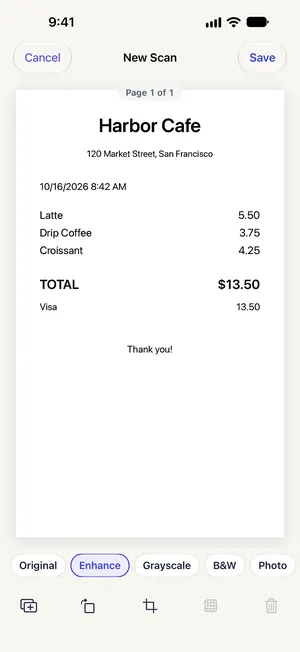
- Use the “Enhance” filter on the “New Scan” screen to darken faint pharmacy print, then tap “Save”.
- Open it, go to “Tools” → “Export…” and set “Format” to “PDF” for most claim portals, or “JPEG” if the app only takes images.
- Tap “Share”. For images, choose “Save Image” to put them in Photos and pick them from the claim form; a PDF can go straight to the app that needs it.
Tips for this document
- FSA plans often turn down a card slip on its own; they want the itemized receipt showing the service, date and patient.
- Pharmacy slips are printed on heat-sensitive paper that can go blank before a claim deadline, so scan them at pickup.
- Paying out of pocket now and reimbursing from an HSA later? Rename each scan with the year and provider so the records are easy to pull up if you're ever asked for them.
Coming soon to the App Store.