The scanner that never uploads
your documents
Scan contracts, receipts, IDs and school forms into real PDFs that stay on your iPhone. No account, no upload, no watermark.
Ordinary PDF files in Paperkeep's folder on your iPhone
English, Korean and Japanese, read on the device
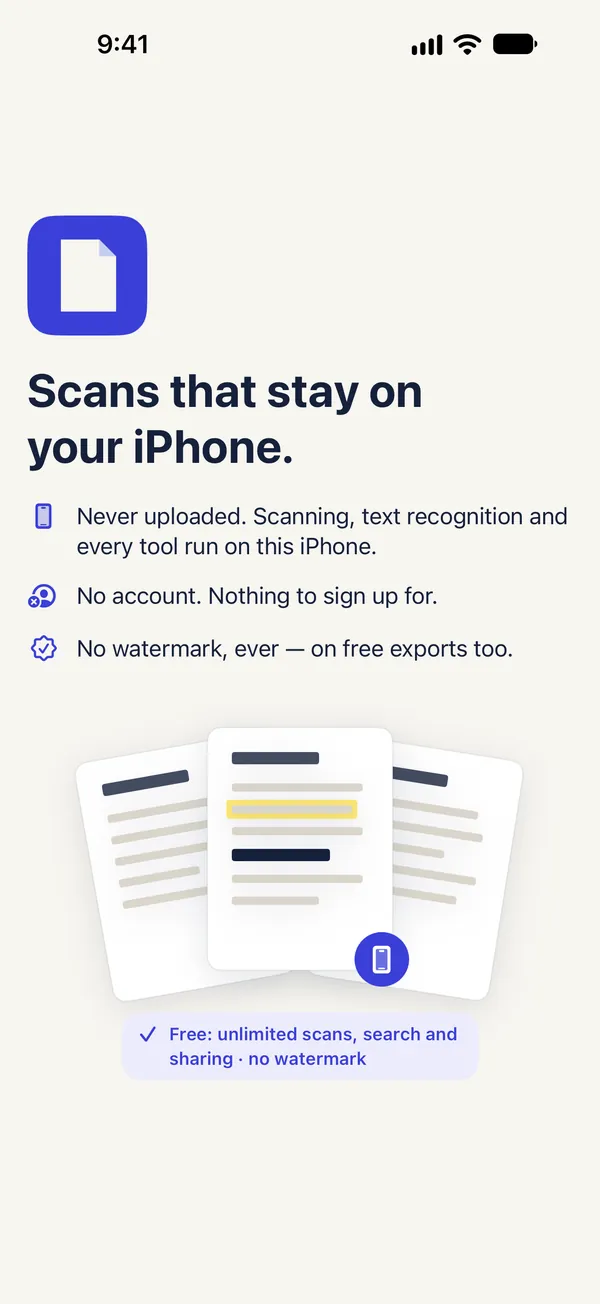
Never, on free exports too
Deleted documents wait in Recently Deleted
Scan to a
clean PDF
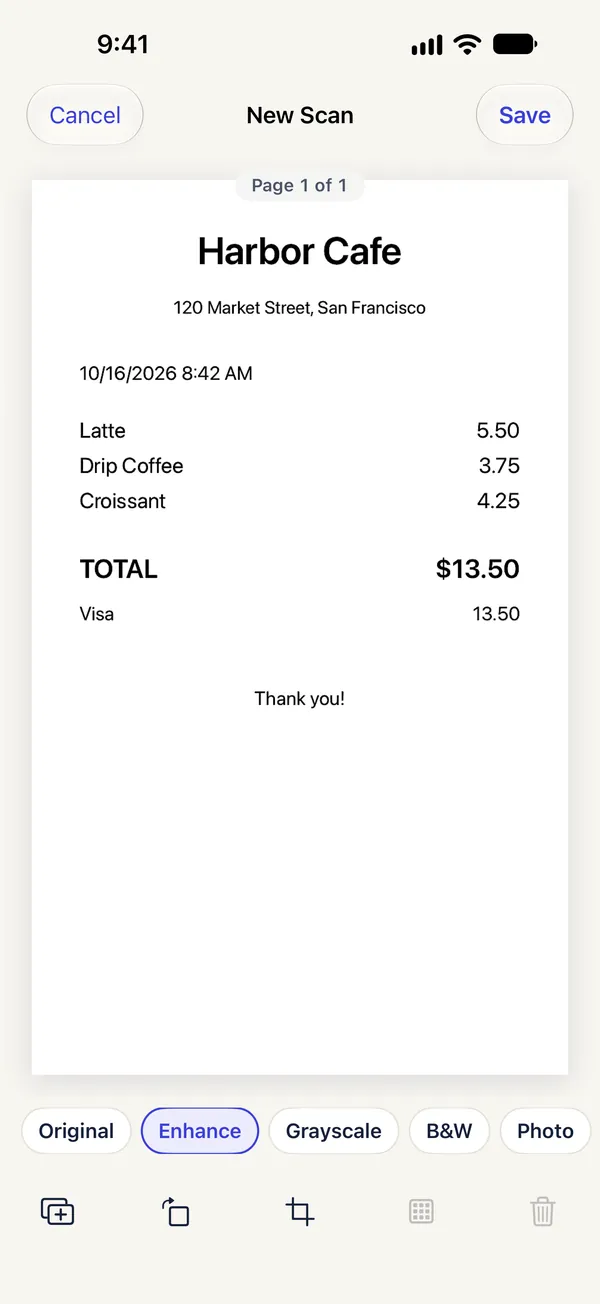
Scan page after page, with edges found and each page straightened automatically. You can also import from your photo library or from files on your iPhone.
- Filters: Original, Enhance, Grayscale, Black & White, Photo — remembered per document type
- Reorder, rotate, re-crop with four corners, delete with Undo
- Import photos without giving library access
- Open the scanner from a Home Screen or Lock Screen widget
Search the text
inside every document
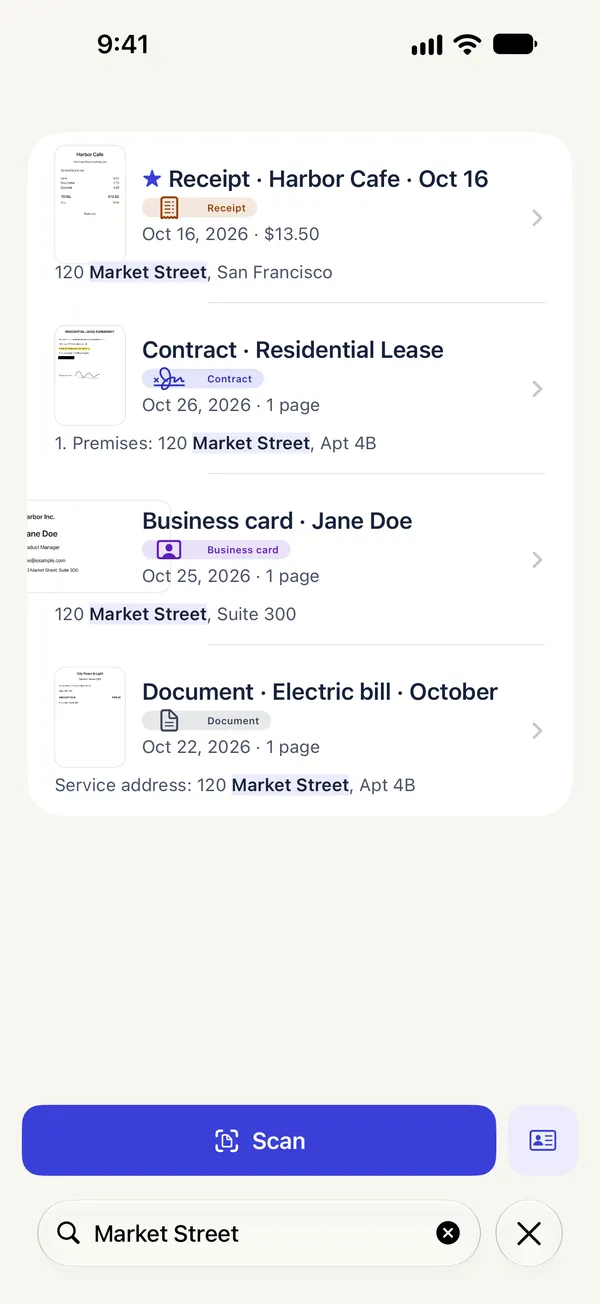
Paperkeep reads English, Korean and Japanese on your iPhone, so you can find a document by the words inside it, not just its title. Search is free.
- Suggests the type (receipt, ID, business card, contract, note) and a title — you can change both
- Copy the text of a page
- Pro: searchable PDFs that other apps can search too
Sign, mark up
and black out
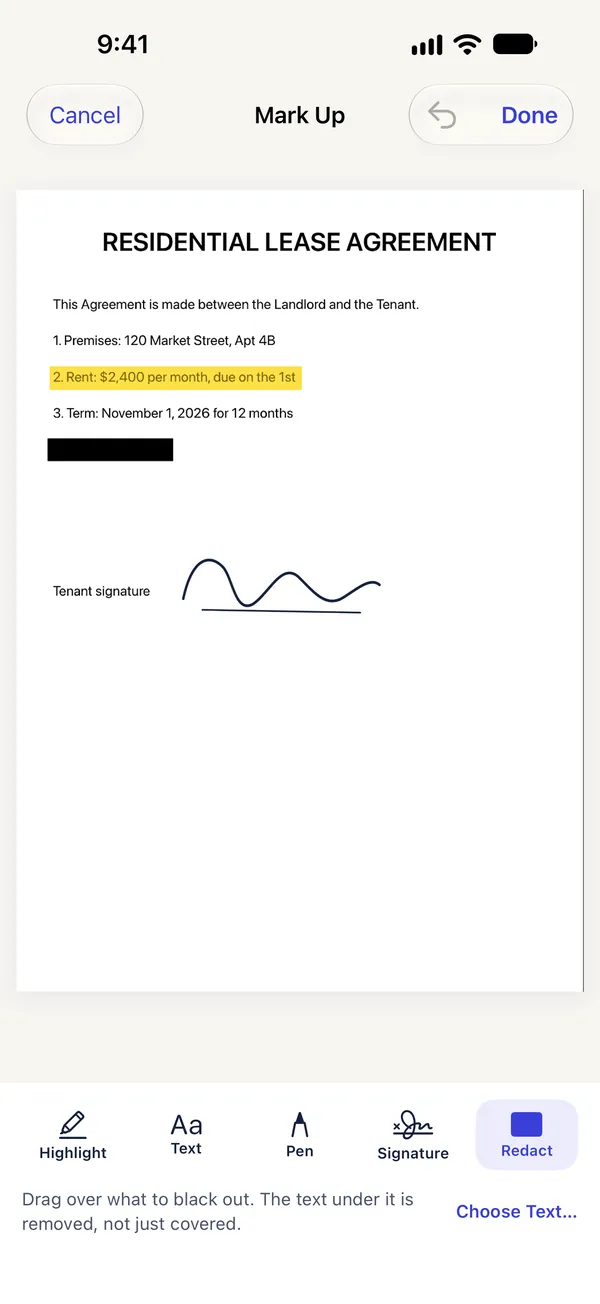
Sign, highlight, write and redact right on the page. The text under a redaction is removed, not just covered.
- Merge, split and extract pages
- Compress with the real size shown first, or add a password
- Your signature is saved on this iPhone only, for next time
Receipts sort
themselves
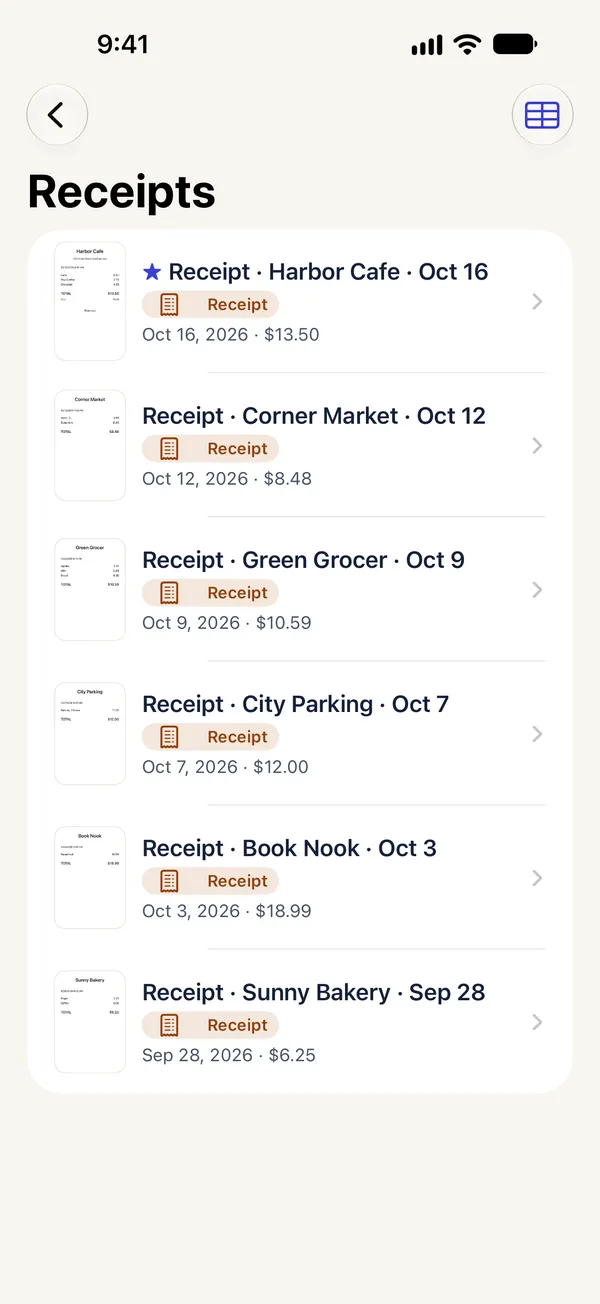
Paperkeep reads the date and total of each receipt, shows them on the card and gathers receipts in their own smart folder. A business card becomes a new contact after you check the details.
- Pro: export the receipts in a date range as CSV (date, shop, total, currency)
- Pro: ID card mode puts front and back on one A4 page at real size
Three steps
Scan or import
Scan several pages in a row, or bring them in from your photos and files.
Tidy up and save
Crop, rotate and pick a filter. The document is saved as a PDF on your iPhone, and its text is read there too.
Find and share
Find it by the words inside, then share or print it as PDF, JPEG or PNG — without a watermark.
Your documents never
leave your iPhone
Paperkeep has no servers, no account and no analytics. Scanning, text recognition, every tool and search run on this iPhone; only the App Store handles purchases.
No servers and no networking code.
That's Paperkeep's App Store privacy label.
Document files are protected while your iPhone is locked.
Widgets never show pages or text, and locked documents don't appear at all.
Scanning is free.
Pro adds the PDF tools.
Scanning, saving, organizing, search, sharing and printing are free, with no limits and no watermark. Pro adds searchable PDFs, PDF tools like signing and redaction, ID card mode, receipt CSV and locked folders.
Paperkeep Pro Weekly
- Every Pro feature
- For when you need it just this week
- Cancel anytime
Paperkeep Pro Yearly
- Every Pro feature
- Using it every week? Yearly costs less.
- Cancel anytime
Paperkeep Pro Lifetime
- Every Pro feature
- No renewal charges
Subscriptions renew automatically unless cancelled at least 24 hours before the end of the period. Payment is charged to your Apple Account; manage or cancel in Settings › [your name] › Subscriptions. Weekly never has a free trial. If a free trial is offered where you are, the App Store shows it and its terms before you subscribe. Prices shown are US prices and vary by country.
Questions
Where are my documents stored?
In the Files app › On My iPhone › Paperkeep, as ordinary PDFs. Open, rename, move or copy them there, and Paperkeep follows the changes the next time you open it.
Does Paperkeep upload my documents?
No. Paperkeep has no servers and no networking code. Text recognition and search run on your iPhone; only Apple's App Store handles purchases.
What's free?
Scanning, saving, organizing, search inside documents, sharing and printing as PDF, JPEG or PNG, saving business cards to Contacts, copying a page's text and App Lock. Free exports never get a watermark. Pro adds searchable PDFs, PDF tools like signing and redaction, ID card mode, receipt CSV, locked folders and file-name patterns.
Can I lock my documents?
Yes. Lock Paperkeep with Face ID, Touch ID or your passcode — that's free. Locking individual folders is part of Pro. Locked documents are hidden from Spotlight, the widget and Shortcuts.
Text recognition got something wrong.
It reads on your iPhone and can make mistakes, especially on faded receipts. Rename the document or change its type from the document screen, and check important numbers.
What happens to my documents if I cancel Pro?
They stay. Cancelling never removes anything you've made, and searchable PDFs stay searchable. Cancel in Settings › [your name] › Subscriptions.
Your papers, kept
on your iPhone
Coming soon to the App Store.